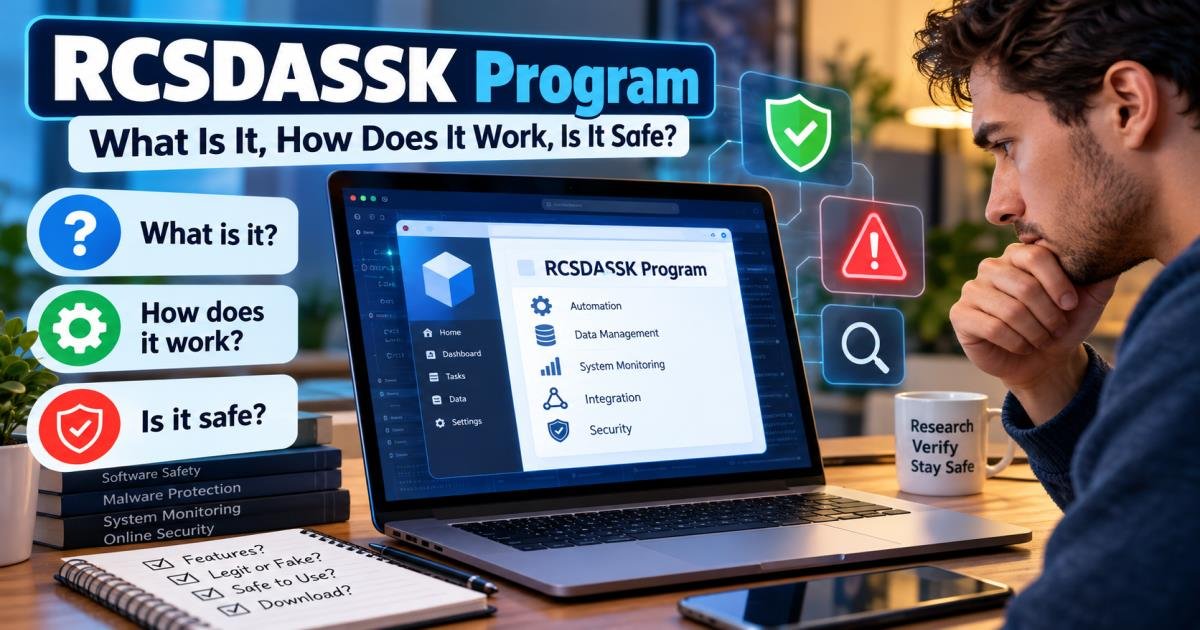
RCSDASSK Program: What Is It, How Does It Work, Is It Safe?
The rcsdassk program is not a verified software product from any recognized company. Most pages that describe it invent different meanings, features, and download steps. No official developer, no confirmed release notes, and no independent technical records support the claims. If the name appears as a file, process, or error on your computer, consider it unknown software until you verify the exact file location, publisher, and behavior.
This guide addresses the questions that people frequently ask. It separates what can be confirmed from what remains made up.
What Is the RCSDASSK Program?
People search for the rcsdassk program after seeing the name in search results, system logs, or process lists. The term itself has no fixed definition in official documentation from Microsoft, Apple, or other major vendors.
What Does RCSDASSK Stand For?
Websites offer different expansions. Common ones include:
- Remote Control System for Data Automation, Security, and Software Package.
- Runtime Configuration System Dependency and Software Stack Kernel
- Real-Time Collaboration and Intelligent Data Analytics Software Suite.
These expansions change from page to page. None comes from a primary source such as a company white paper or official product page. The shifting definitions signal that the acronyms were written for search traffic rather than taken from a real product.
Is RCSDASSK a Real Software Program or Just a Technical Term?
It functions mainly as a technical term. In some cases it appears as a placeholder in logs or crash reports. In some instances, promotional blogs refer to it as the name of a complete platform. No standardized product listing, no registered application under that exact name, and no widely accepted technical specification exist.
Why Is the RCSDASSK Program Getting Attention Online?
Once a few pages published long articles using the exact phrase, other sites followed the same pattern. The result is a group of similar posts that repeat claims without primary evidence. Search results then give the impression of a real product even though the public record shows none.
Is the RCSDASSK Program Real and Legitimate?
No. Cross-checks of company registries, software catalogs, and major technology platforms turn up no legitimate product matching the name.
Who Created the RCSDASSK Program?
No verified creator or development team has been identified. Some pages name fictional companies.The claims do not have supporting records, physical addresses, or independent verification.
Is There an Official RCSDASSK Website or Developer?
Domains that use the name exist and publish promotional content.The domain and hosting records do not connect to a recognized software company. They operate as content sites rather than product homes with clear ownership and support channels.
What Information About RCSDASSK Can Actually Be Verified?
Confirmed points are limited:
- The string appears across many blog posts.
- No major antivirus vendor lists a widespread malware family under this exact name as of the research period.
- No official installer, version history, or digital signature from a known publisher has been confirmed.
- Feature lists, pricing plans, and system requirements contradict one another across different sites.
Everything beyond those points remains unconfirmed.
How Does the RCSDASSK Program Work?
Because no confirmed product exists, no documented working process can be described from primary sources.
Understanding Its Reported Working Process
Promotional pages usually claim the rcsdassk program acts as a central dashboard for remote access, data handling, and security tasks. They describe cloud syncing and automated workflows. These descriptions use generic marketing language that appears in many similar “new software” posts.
Automation, Data Management, and System Integration Claims
Typical claims include real-time data movement, task bots, encrypted sessions, and system monitoring. None of these claims rests on public technical papers or independent tests.
What Remains Unconfirmed About Its Functionality?
Almost every functional detail remains unconfirmed. No public API references, source code, published benchmarks, or active user communities outside the promotional pages themselves have been found.
Key Features and Uses Associated With the RCSDASSK Program
Feature lists that appear online are written for the articles rather than taken from a working product.
Workflow Automation and Task Management
Pages describe automated boards, reminders, and team tools. Real products such as Asana or Microsoft Power Automate already offer these functions. No verified link ties them to an RCSDASSK product.
Data Processing and System Monitoring
Claims of high-speed analytics and machine-learning detectors appear often. No independent performance data supports the numbers given.
Security, Remote Access, and Integration Claims
Many pages list encryption standards, multi-factor authentication, and compliance statements. These are standard phrases. Without a real product to examine, the claims cannot be checked.
Are These Features Officially Documented?
No. Official documentation would include version notes, clear ownership, and technical support channels. None of that exists for the rcsdassk program.
Is the RCSDASSK Program Safe to Use?
Safety cannot be judged from the name alone. The lack of an official product means any file that carries the label should be treated as unknown software.
Is RCSDASSK a Virus, Malware, or Legitimate Software?
The name itself is not listed as a known virus family. Random-looking process and file names are sometimes used by adware, browser hijackers, or bundled installers. A clean scan result does not guarantee safety if the file came from an untrusted source.
Potential Security and Privacy Risks
Possible risks include unexpected network activity, changes to browser settings, new startup entries, high resource use from an unknown process, and data collection if the file is adware or a remote-access tool. These risks apply to any unverified executable.
Warning Signs of Suspicious RCSDASSK Downloads
Watch for:
- Download buttons on pages that never show a company address or support email
- Installers that request broad permissions right away
- Files stored in Temp or AppData folders instead of Program Files
- Missing digital signatures or publishers listed as “Unknown”
- Sudden appearance after free utilities, cracked software, or browser extensions
How to Verify an Unfamiliar Program Before Trusting It
- Record the exact file name and full path.
- Check the digital signature (right-click the file → Properties → Digital Signatures on Windows).
- Upload the file hash to a multi-engine scanner such as VirusTotal.
- Search the publisher name and domain registration details.
- Prefer software from Microsoft Store, Apple App Store, or the official sites of well-known companies.

How to Check if RCSDASSK Is Installed on Your Device
Checking for RCSDASSK on Windows
Open Task Manager with Ctrl + Shift + Esc. Look under Processes and Startup for any entry that contains “rcsdassk.” Open Settings → Apps and search the name. Use File Explorer to search the C: drive. Check Task Scheduler for tasks that run at logon and point to unusual locations.
Checking Unknown Applications and Processes on macOS
Open Activity Monitor and search for the name. Look in the Applications folder. Check System Settings → General → Login Items. Use Spotlight or Finder to search the disk.
Verifying File Locations, Publishers, and Digital Signatures
Legitimate software usually lives in Program Files (Windows) or Applications (macOS) and shows a known publisher. Files in temporary folders or with blank publisher fields need extra checks.
What to Do if Your Antivirus Flags an RCSDASSK File
Quarantine the file. Do not restore it until the origin is clear. Run a full system scan and, if possible, a second-opinion scanner. If the file belongs to a larger unwanted package, also remove related startup items and browser extensions.
Can You Download and Install the RCSDASSK Program?
Is an Official RCSDASSK Download Available?
No verified official download exists. Any site that offers an installer remains unverified.
How to Identify Fake or Unverified Download Websites
Look for missing contact details, text copied from other blogs, urgent download buttons, and claims that contradict each other across pages. Real software companies publish version histories and support pages.
What to Do Before Installing Unknown Software
Confirm the source is the real publisher. Read recent independent reviews from trusted technology sites. Scan the installer before running it. Make sure to create a system restore point or backup before proceeding. Avoid giving administrator rights to unknown installers unless the source is fully trusted.
Common RCSDASSK Errors and Troubleshooting Tips
Why Might RCSDASSK Appear in an Error Message?
The string can appear as a placeholder when a program fails to load a module, when a configuration file is missing, or when adware generates a fake alert. It is not a standard Windows or macOS error code.
How to Investigate an Unknown RCSDASSK Error
Note the exact wording and time of the message. Check Event Viewer (Windows) or Console (macOS) for matching entries. Identify the process that triggered the message. Scan the related files. Restart in Safe Mode if the error blocks normal use.
When Should You Remove a Suspicious File or Contact IT Support?
Remove the file if it has no clear legitimate origin or if security software flags it. Contact IT support or a professional if the process returns after removal, if sensitive data may have been exposed, or if the device is used for work that requires strict security rules.
Why Do Websites Give Different Explanations of RCSDASSK?
Conflicting Claims About Its Purpose and Features
Some pages call it a full business platform. Others call it a system error. A few link it to messaging standards or Android services. These stories cannot all be true simultaneously.
RCSDASSK as Software, a System Identifier, or a Training Program
The most consistent observation is that the term works as a search magnet. Writers fill pages with technical-sounding language because the phrase has no fixed definition.
How to Separate Reliable Information From Unsupported Claims
Prefer sources that admit what cannot be verified, cite primary records, avoid urgent download buttons, and show clear ownership and contact information. Ignore pages that invent company names, version numbers, and feature lists without evidence.
Final Verdict: Is the RCSDASSK Program Real, Useful, and Safe?
The rcsdassk program is not a real, useful, or officially supported product. Online attention comes mainly from search-driven content rather than from an actual software release. Users who encounter the name should focus on verifying the specific file or process on their own device. Download only from known publishers, keep security software updated, and check digital signatures. These habits protect against both real threats and invented software names.
Frequently Asked Questions About the RCSDASSK Program
Is the RCSDASSK Program Free or Paid?
There is no verified product, so there is no official pricing. Pages that list free, pro, and enterprise plans repeat marketing templates.
Is RCSDASSK Compatible With Windows 10 and Windows 11?
Claims of compatibility appear on promotional sites, but no real product has been tested against these systems by independent parties.
Does RCSDASSK Have an Official Download Link?
No.
Can the RCSDASSK Program Harm My Computer?
Any unverified executable can harm a computer. The name alone does not prove harm, but downloading from unknown sites raises the risk.
Should I Uninstall RCSDASSK if I Find It?
Yes, if the file has no clear legitimate origin or if security software flags it. Follow standard removal steps and scan afterward.
Is RCSDASSK Suitable for Personal or Business Use?
No verified version exists that can be recommended for either purpose.
How Can I Find Reliable Updates About RCSDASSK?
Monitor trusted technology news sites and security blogs rather than the group of promotional pages that currently dominate results for the term.