
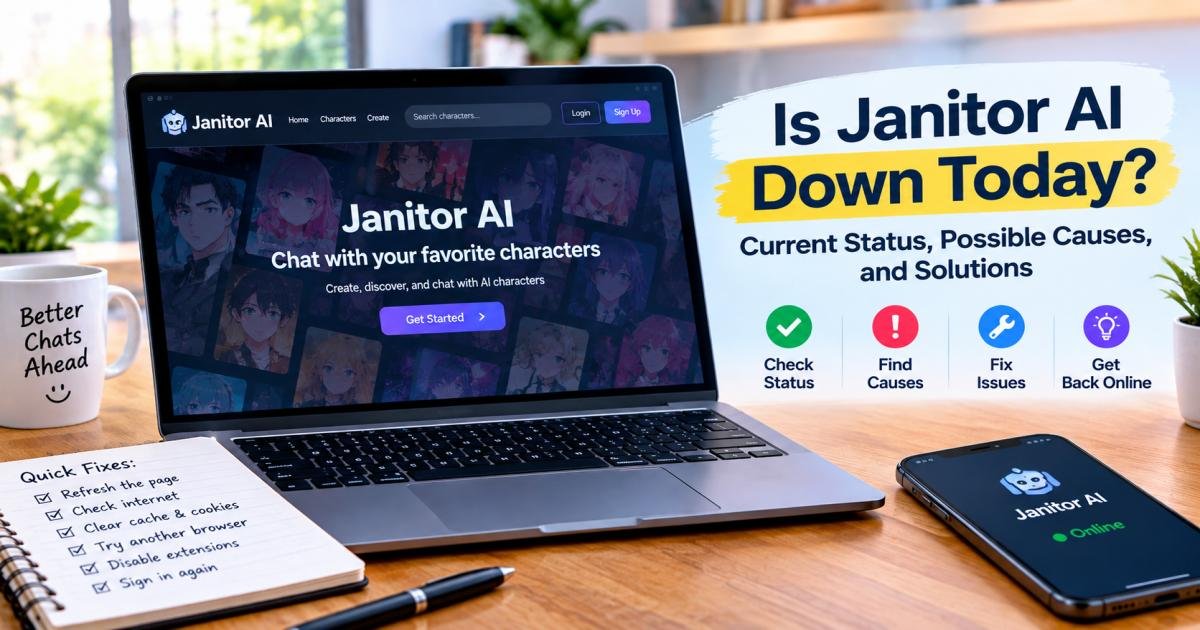
Is Janitor AI Down Today? Current Status, Possible Causes, and Solutions
Is Janitor AI down today? No. UptimeRobot and StatusGator both checked janitorai.com at 8:45 AM UTC on October 28, 2026, and both found it working. StatusGator also marked the Backend and Frontend as up.
That answer can flip in minutes, and the status page doesn’t always warn you. Janitor AI, the character chat platform at janitorai.com, breaks in one of three places: Janitor’s servers, the model you connect to it, or your own device and network. This guide calls that the three-layer check, and it helps you find the broken layer in about two minutes.
Every fact below comes from Janitor’s help centre, its status page, and independent uptime trackers. We checked them in late October 2026 and flagged anything we couldn’t confirm.
Is Janitor AI Down Right Now?
Janitor AI is working as of October 28, 2026. UptimeRobot’s latest check ran at 8:45 AM UTC from North America and found no error codes and no slow responses. The site has stayed up for 6 months and 10 days in a row in UptimeRobot’s records.
The long-term numbers look good too. Over the past 365 days, UptimeRobot logged two incidents, both short 502 Bad Gateway errors in April 2026. Together they lasted 1 minute and 55 seconds. StatusGator shows the Backend and Frontend as operational, and users filed 12 outage reports in the previous 24 hours. That is a small number for a platform with roughly 15 million users, according to RoboRhythms.
These results are snapshots, not a live feed. To find out whether Janitor AI is offline for everyone or only for you, check Janitor AI server status yourself. It takes about two minutes:
- Open status.janitorai.com. Janitor’s help centre points users to this page, and it lists the Backend and Frontend components.
- Open an independent tracker such as UptimeRobot or StatusGator. They test the site from the outside, so they can spot trouble before Janitor posts anything.
- Search r/JanitorAI_Official on Reddit and sort by new. Several “is it down for anyone else?” posts in the last hour usually mean a real outage.
- Check a crowd-sourced tracker. Plenty of people search is janitor ai down ” on Downdetector for this. If Downdetector lists the service, treat a spike in reports as a clue, not proof, because these sites rely on user reports.
If you only want a quick ” Is Janitor AI down rn answer, steps one and two are enough.
Don’t rely on the Janitor AI status page alone, because it lags behind real problems. StatusGator gives it a D accuracy grade, with an average delay of 2 to 4 hours, and Janitor never acknowledged any of the ten recent disruptions on StatusGator’s list. On the evening of October 19, 2026, the whole site sat behind a Cloudflare “You’re in line” waiting screen while the status page still read All Systems Operational, according to RoboRhythms. That screen means the site is up but busy, not down.
Why Is Janitor AI Not Working Today?
Janitor AI stops working for five common reasons, and three of them sit on Janitor’s side. Here is each one, with a real example.
Heavy traffic is the most frequent trigger. Busy evenings slow down JLLM, Janitor’s free built-in model, and sometimes trigger a waiting room. On October 19, 2026, a Cloudflare waiting room covered the whole site from about 6:45 PM to at least 10:30 PM Eastern, RoboRhythms reports. StatusGator logged similar trouble on October 10 (one hour of “high traffic and waiting lines”) and on October 20 (one hour and 43 minutes).
Server faults come next. Janitor’s help centre says error codes 502 and 1033 usually mean its chat system has a temporary problem, even while the rest of the site loads. In December 2024, users hit Error 1033, and a subreddit moderator said the developers were working on a fix, according to PiunikaWeb.
Maintenance is the third Janitor-side cause. Readers often ask, “Is Janitor AI down for maintenance?” We found no public maintenance calendar. StatusGator says Janitor’s status page can show a maintenance status, so check there first.
Your proxy or API key forms the second layer. If you connect an outside model, an empty balance, a mistyped key, or a provider limit can look exactly like an outage. RoboRhythms’ author argues that most people who think Janitor is down are really seeing a proxy 429 error.
Your device or network forms the third layer. Old cached files, privacy extensions, a flagged VPN address, and Cloudflare checks can block you while everyone else chats normally.
So when you ask why Janitor AI is down right now, ask a sharper question: which layer is failing? The three-layer check keeps you from clearing your cache when the problem sits on Janitor’s servers, and from waiting when the problem sits in your proxy.
How to Fix Janitor AI When It Is Not Working
When Janitor AI is not working, start with layer three, your own device. These six fixes typically take about five minutes in total.
Refresh the Page and Reopen Janitor AI
Close the tab, reopen janitorai.com, and try again. A fresh load typically clears a stalled page. The exception is the “You’re in line” screen. There, leave the tab open. It reloads itself every 20 seconds, and closing it or clearing cookies sends you to the back of the line.
Check Your Internet Connection
Open another website to test your connection. If it’s slow or dropping, turn Wi-Fi off and on, or flip Airplane Mode on your phone. Janitor’s help articles list this as a standard step for network errors.
Clear Your Browser Cache and Cookies
Old site data can break the way Janitor AI loads. Clear the cached files and cookies for janitorai.com, then reload. This logs you out, so keep your login details handy.
Try Incognito Mode or Another Browser
A private window loads the site without your saved data or extensions. If it works there, stored data is the culprit. If it doesn’t, try another browser. Janitor’s help centre names Chrome, Firefox, Opera, Brave, and Edge.
Disable Conflicting Browser Extensions
Privacy and anti-tracking extensions can trip Cloudflare’s security check and trap you in a verification loop. Turn them off for janitorai.com. Brave users should also switch off Brave Shields, and everyone should check that their device’s date and time are correct. A VPN can cause the same loop because Cloudflare flags some VPN addresses, so test the site with your VPN off.
Log Out and Sign In Again
A 401 error while you browse usually means a stale session. Log out, sign back in, and use a private window if the error returns. If you sign in with Google and see an “invalid response from the upstream server” message, wait a few minutes and retry. Janitor’s help centre says that error is typically a temporary outage, not an account problem.
How to Fix Common Janitor AI Errors
Janitor AI’s error messages are vague, and one message can come from very different problems. Run the JLLM test first. Switch the chat to JLLM and send one message. If JLLM replies, your proxy is the problem. If JLLM fails too, Janitor’s servers are the problem. That single test tells you which layer to fix.
Janitor AI Error 429: Too Many Requests
A 429 error means a server received too many requests in a short time. On Janitor AI, it comes in two forms. A global 429 means Janitor’s own JLLM servers can’t keep up, so you wait. A proxy error 429 means the outside provider you connected turned your request away, either because you hit its rate limit or because your credits ran out.
Free models on OpenRouter trigger this error most often. OpenRouter’s limits page allows free model variants 20 requests per minute and 50 requests per day unless you have bought at least 10 credits, which raises the daily cap to 1,000. Failed attempts count toward that cap, according to Janitor’s OpenRouter guide, so mashing the regenerate button drains your day faster. Wait for the reset, switch models, or add credits.
Janitor AI Error 500 or 502: Server Problems
A 502 or 1033 error on the Janitor AI website points to a temporary problem with Janitor’s chat system. Janitor’s help centre says you have nothing to fix. Wait a few minutes, check again, and email support@janitorai.com only if the error lasts a long time.
A 502 inside a proxy reply means something different: the outside model failed. Check that provider’s status page or try another model. A 500 error follows the same logic. If a reply shows raw HTML, read the page title inside it. Janitor’s help centre says titles with 500, 502, or 504 mean the upstream proxy or API is failing.
Janitor AI Says “Error Processing Your Request”
This catch-all message can hide several causes, so run the JLLM test. Routeway, an AI API service with a Janitor setup guide, says a similar message, “Unable to process your request right now,” appears when Janitor’s own backend fails before the request reaches your proxy.
If JLLM replies, check your proxy. Look for an empty balance, a mistyped key, a wrong URL, or a model name that doesn’t match the provider. RoboRhythms notes that an empty Chutes or OpenRouter wallet shows only a generic error, with no low-funds warning. If JLLM fails too, wait a few minutes and try again.
Janitor AI Stuck on Loading or Generating
When Janitor AI is not loading or generating, one of four causes usually sits behind it. Busy hours slow JLLM, and Janitor doesn’t publish queue times. A very long chat can exceed the model’s context limit, which produces a 400 error on some proxies, so trim the bot’s memory or start a fresh chat with a summary of the story. A 408 error means a timeout from a slow provider or a weak connection. And a single message can’t exceed 10,240 characters, so split very long inputs.
Proxy users have one more fix. Routeway says replies that run past 90 to 100 seconds and then fail usually mean Text streaming is off. Open the chat, click Customize, and switch Text streaming on.
Janitor AI Login and Authentication Errors
Janitor’s help centre describes three common login errors. “An invalid response was received from the upstream server” usually shows up at login with Gmail sign-in and typically means a temporary outage, so wait and retry. A 401 Unauthorized error points to a session or cookie problem, so log out, log in, and try a private window. A 403 at login usually comes from Cloudflare or your network, so repeat the browser and VPN steps above.

Janitor AI Website Not Opening
If you wonder why you can’t open janitorai.com, look at what the screen shows. Each screen points to a different cause.
| What you see | What it means | What to do |
| “You’re in line” with a wait estimate | Cloudflare waiting room. The site is up but busy. | Leave the tab open and let it reload. |
| “Access Denied” or a repeating verification check | Cloudflare blocked your browser, VPN, or network. | Clear site data, turn off extensions, or change networks. |
| “Access Restricted” and “blocked by our firewall” | Janitor’s firewall blocked your connection. | Follow Janitor’s Reddit or Discord for updates. |
| An error page or blank screen that other people see too | A real outage. | Wait, and check the status page. |
Janitor’s help centre says its support team can’t whitelist IP addresses or override Cloudflare’s decision, so another network is your best next step.
Is Janitor AI Down on Mobile or Desktop?
Janitor AI can fail on your phone while the website works, or the reverse. When that happens, Janitor isn’t fully down, and the fault lies in the part that failed.
Janitor’s official mobile app is free on iOS and Android and still in beta, according to its help centre, which warns users to expect some hiccups. The app can hit the same load errors as the website when servers are busy, and StatusGator’s recent user reports include both “app not loading” and “website not loading” complaints.
If the app acts up, open janitorai.com in your phone’s browser with the same account. If the site works there, update the app, restart your phone, and reinstall the app as a last resort. Install it only from links on Janitor’s own pages. The help centre says its two store listings are the only official apps, and fake ones exist.
On desktop, the website is the only version, so the browser fixes above are your toolkit. During the October 19 queue, Janitor’s waiting page even suggested chatting in the app. Keep it installed, and you have a second way in when the website jams.
How Long Does Janitor AI Downtime Usually Last?
A Janitor AI outage typically lasts from under a minute to about two hours. Hard outages run short, and user-reported slowdowns run longer. This table lists the incidents we found, newest first.
| Date | What happened | Length | Source |
| Oct 22, 2026 | App not loading, server not responding | 42 minutes | StatusGator |
| Oct 20, 2026 | Service unavailable during high traffic | 1 hour 43 minutes | StatusGator |
| Oct 19, 2026 | Slow performance, app not loading | 54 minutes | StatusGator |
| Apr 17, 2026 | 502 Bad Gateway errors | 35 seconds | UptimeRobot |
| Apr 15, 2026 | 502 Bad Gateway errors | 1 minute | UptimeRobot |
| Jan 1, 4 and 27, 2026 | Access problems | 30, 45 and 55 minutes | Entireweb |
| Nov 24, 2025 | Outage on Janitor’s status page | 26 minutes | RoboRhythms |
The three October slowdowns average about 66 minutes, and Janitor never acknowledged any of them. The 26-minute outage in November 2025 was the latest incident on Janitor’s own page when RoboRhythms checked in October 2026. In other words, the official page records far fewer problems than users feel.
Queues work differently. On October 19, the waiting screen estimated about 5 minutes, yet one Reddit user described a three-hour wait as the estimate rose and fell, RoboRhythms reports. Treat any queue estimate as a rough guess.
If the problem lasts longer than an hour, check the status page and Reddit again before you change any settings. By then, you’re likely facing a longer outage or a problem on your side.
Is Janitor AI Shutting Down or Experiencing a Temporary Outage?
Janitor AI is not shutting down, and nothing we found says otherwise. We saw no closure notice, and the company kept shipping in 2026. Its official mobile app arrived in early 2026; it launched the paid Janitor+ plan on June 24, and it announced Janitor+ Router on July 30, according to Aitryvo’s review of Janitor’s newsroom. UptimeRobot also shows 6 months and 10 days of continuous uptime.
You can tell a shutdown from an outage. An outage comes and goes. You see 502 or 1033 errors or a slow site, and then it returns. The incidents in the table above lasted from 35 seconds to 1 hour 43 minutes. A permanent shutdown would typically come with an announcement from Janitor, and it wouldn’t look like a random error on a busy evening.
A queue screen or a Cloudflare block is a third case. The site runs fine in both, and you’re seeing traffic control or a block on your own connection. So if Janitor AI won’t load for you today, a short glitch, a busy-hour slowdown, or a local problem fits the evidence far better than a permanent closure.
What Can You Do While Janitor AI Is Down?
Protect your work and stop retrying. A few small habits save you real headaches.
Stop pressing regenerate. On proxy models, every failed attempt counts toward your daily limit, and a few fast retries can trigger a 429 on their own.
Save anything you care about. Copy long bot descriptions and story summaries into a notes app before you hit save. In January 2025, a creator lost a bot they had spent about an hour and a half writing when they uploaded it during a queue, RoboRhythms reports.
Run the JLLM test. Switch the chat to JLLM for one message. If it replies, your proxy is the problem, and you don’t need to wait for Janitor at all.
Try the app. Janitor’s own queue page suggests chatting in the app while you wait for the website.
Set an alert. StatusGator offers free email alerts for Janitor AI status changes, so you can stop refreshing the page.
Take a break. Every disruption in our table lasted under two hours, so a short pause costs you nothing. If you can’t wait, try a different chat app for a while, then come back when the status page and Reddit look calm.
Final Troubleshooting
The checklist below answers the question many people type into search as is janitor ai down. Go through it in order, and stop as soon as Janitor AI works again.
- Open status.janitorai.com and look for an active incident.
- Check UptimeRobot or StatusGator, then the newest posts on r/JanitorAI_Official.
- If you see “You’re in line,” leave the tab open and let it reload.
- Switch the chat to JLLM for one message to test your proxy.
- Check your proxy balance, key, URL, and model name.
- Refresh the page and confirm your internet connection works.
- Clear cache and cookies, or try a private window or another browser.
- Turn off privacy extensions and toggle your VPN.
- Log out, sign back in, and try the mobile app or your phone’s browser.
- If it is still broken after an hour, contact support with the exact error text.
Most of the time, one of the first five steps explains the problem. If the status page or the trackers show an incident, waiting is the right move.
FAQs
Is Janitor AI down today?
Not at the last check. UptimeRobot and StatusGator both showed Janitor AI as up on October 28, 2026, and Entireweb reported no user reports in the previous 24 hours. Status can change within minutes, so confirm with a fresh check before you assume anything.
Why is Janitor AI not working right now?
The usual causes are heavy traffic, a short server problem, a failing proxy or API key, or a browser or network issue. Check the status page first. Then switch the chat to JLLM: if it works, the fault is in your proxy setup.
Is Janitor AI down or is it just me?
If the status page, UptimeRobot, and Reddit show no problems and the site still fails for you, the issue is probably local. Clear your cache, try a private window or another browser, turn off extensions, and toggle your VPN. UptimeRobot also suggests trying another network, such as a mobile hotspot.
Why is Janitor AI stuck on loading?
Busy-hour slowdowns, a long chat that has hit its context limit, a slow proxy provider, or a poor connection can all cause it. Try a new chat with a summary, switch models, or wait a few minutes.
How do I check Janitor AI server status?
Open status.janitorai.com, then compare it with an independent tracker such as UptimeRobot or StatusGator and the newest posts on r/JanitorAI_Official. The status page can lag behind real problems, so it is smart to use all three.
Does Janitor AI work without an API key?
Yes. Janitor AI has its own free model, JanitorLLM, so you can chat without an API key, as the help centre’s beginner guide explains. A key or proxy is only needed if you want an outside model. Keep in mind that JLLM can be slow or fail at busy hours.
What should I do if Janitor AI is still not working?
Wait an hour, then repeat the checks. If nothing changes, contact support at support@janitorai.com or through the help centre. Include your browser, your device, the exact error message, and when it started.