How to Choose a Free VPN for Safer and More Private Browsing
The internet has become an essential part of everyday life. People use it to communicate, shop online, watch videos, access work platforms, and manage personal information. However, online activities can also expose users to privacy risks, unsecured connections, and unwanted tracking. A virtual private network (VPN) can help address some of these concerns by encrypting internet traffic and routing it through a remote server. For people looking for a convenient way to improve their online privacy, understanding how a free VPN works is an excellent starting point.
Choosing the right service requires more than simply downloading an application. Users should consider security features, connection performance, privacy policies, and ease of use. Tools such as iTop VPN provide an option worth exploring for people who want to understand how VPN technology can support everyday browsing.
What Is a VPN and Why Does It Matter?
A VPN creates an encrypted connection between a user’s device and a VPN server. This process helps protect internet traffic from being easily viewed by others on the same local network. It can be particularly useful when connecting through public Wi-Fi at airports, hotels, libraries, or coffee shops.
Without a VPN, information traveling across certain networks may be exposed to monitoring, depending on the connection and the services being used. A VPN adds another layer of protection by encrypting traffic between the device and the VPN server. However, it does not make every online activity completely anonymous or protect against every cybersecurity threat.
A VPN can also change the public IP address visible to websites by routing traffic through a different server. This may help users access region-specific services where permitted. Nevertheless, websites can still identify visitors through account logins, cookies, browser fingerprints, and other tracking technologies.
Understanding the Benefits of a Free VPN
A free VPN can be a practical starting point for users who want to explore VPN technology without immediately purchasing a subscription. It may provide basic privacy features and allow people to test whether a VPN suits their browsing habits.
One of the main advantages is affordability. Students, casual internet users, and people with limited budgets can investigate available protection without committing to a monthly payment. Some free services also offer straightforward applications that make connecting to a server relatively simple.
Another potential benefit is convenience. Depending on the provider, users may be able to select a server location, connect with one click, and continue browsing without complicated configuration. This can make VPN technology more accessible to people who have little technical experience.
However, free services differ significantly in quality. Some impose data limits, restrict server locations, reduce connection speeds, or display advertisements. Others may collect more information than users expect. Before installing any free VPN, it is important to review the provider’s privacy policy, security practices, and limitations.
Exploring iTop VPN for Everyday Internet Use
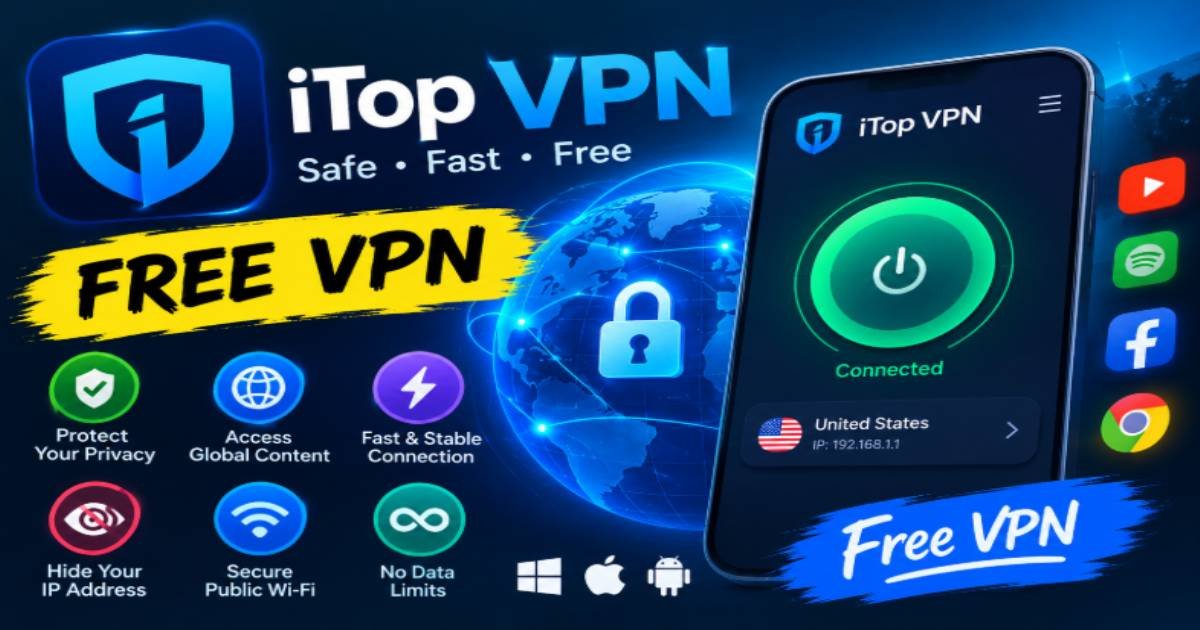
iTop VPN is a VPN application designed to help users establish a VPN connection through an accessible interface. People researching VPN options can explore its available features, supported devices, server choices, and current subscription plans before deciding whether it meets their needs.
For beginners, ease of use can make a significant difference. A clear interface helps users understand when a connection is active and which server they are using. Simple connection controls can also reduce the learning curve associated with configuring a VPN for the first time.
Before choosing iTop VPN, users should check the latest information about its free offering, including any data allowances, available locations, speed restrictions, and upgrade requirements. Features and plan conditions can change, so it is best to confirm these details through the provider’s official website.
It is equally important to examine how the service handles personal information. Review its logging policy, encryption information, permissions, and any available independent security assessments. A recognizable brand name alone is not enough to establish that a service meets every privacy requirement.
Important Features to Compare Before Downloading
Selecting a suitable VPN becomes easier when users evaluate a few essential features rather than focusing exclusively on price.
1. Encryption and connection security
Encryption helps prevent outsiders on the network from reading intercepted traffic. Look for clear information about the encryption standards and secure protocols supported by the provider. A trustworthy service should explain its security features in understandable language.
2. Privacy and data collection
A VPN provider may process connection information to operate its service. Read the privacy policy to understand what information is collected, why it is needed, how long it is retained, and whether it is shared with third parties.
3. Connection speed
VPN encryption and server routing can affect internet performance. Free plans may also experience congestion because many users share a limited number of servers. Test the connection during normal activities to determine whether it works well for browsing, video calls, and other everyday tasks.
4. Server availability
Server locations can influence connection speed and the public IP address assigned to the device. A wider selection may offer greater flexibility, but server quantity alone does not determine service quality.
5. Device compatibility
Check whether the application supports your operating system and devices. If you regularly switch between a laptop, desktop computer, and smartphone, compatibility may be an important consideration.
How to Use a VPN More Effectively
Using a VPN is generally straightforward, but a few simple habits can improve the experience.
Start by downloading the application from the official website or a trusted application store. Avoid unfamiliar download pages that may distribute modified software or unwanted programs. Once installed, review the permissions and settings before connecting.
Next, select an appropriate server location. A nearby server is often a reasonable choice when connection speed is the priority. If you need a different virtual location, choose an available server that suits your purpose and complies with the relevant service terms.
After connecting, check that the application reports an active VPN connection. Some services offer additional features, such as a kill switch, which can block internet traffic if the VPN connection unexpectedly drops. Availability varies by provider and plan.
Keep the application updated to receive available security fixes and improvements. Also, remember that a VPN does not replace antivirus software, strong passwords, multifactor authentication, or careful browsing habits.
Common Mistakes to Avoid When Choosing a Free VPN
One common mistake is assuming that every free VPN offers the same level of protection. Different providers have different business models, technical capabilities, and privacy practices. Some free plans are supported by paid subscriptions, while others may rely on advertising or different methods of monetization.
Another mistake is believing that a VPN guarantees complete anonymity. Although it can conceal a user’s original IP address from websites in many circumstances, the VPN provider may still process connection data. Logged-in accounts and tracking technologies can also reveal information about browsing activity.
Users should be cautious about applications requesting unnecessary permissions. A VPN generally needs certain network-related permissions to function, but unrelated requests deserve closer examination.
Finally, avoid selecting a service solely because it promises unlimited speed, total anonymity, or unrestricted access. Look for transparent explanations, realistic claims, and clear documentation instead.
Is a Free VPN the Right Choice?
The answer depends on individual needs. Someone who occasionally uses public Wi-Fi or wants to learn about VPN technology may find a free plan sufficient. A person who regularly streams videos, transfers large files, or needs a wider choice of server locations may prefer a paid subscription with fewer restrictions.
When comparing options, consider the complete experience rather than the price alone. Connection reliability, privacy protections, customer support, and transparent policies can matter more than the number of advertised features.
Users interested in iTop VPN should compare the currently available plan details with their own requirements. Testing the service during ordinary browsing can help determine whether its performance and usability are suitable.
Conclusion
A VPN can be a useful addition to a broader online privacy strategy, particularly when connecting through unfamiliar networks. However, choosing a service requires careful attention to security, data collection, performance, and transparency.
A free VPN offers an accessible way to explore these benefits, provided users understand its limitations and review the provider’s policies before installation. Exploring iTop VPN alongside other reputable options can help users make a more informed decision about their internet privacy needs.
Ultimately, safer browsing depends on combining appropriate technology with sensible online habits. Keep applications updated, use strong passwords, enable multifactor authentication where possible, and avoid sharing sensitive information with untrusted websites. These practices, together with a carefully selected VPN, can help create a more secure and confident online experience.
Read more articles from MeaningRise

Ryan Cooper is a dedicated writer with a passion for creating informative and engaging content. He enjoys sharing valuable insights and helping readers stay updated with the latest trends and practical knowledge.