E Hall Pass: Complete Guide, Features, and How It Works
A student used to carry a paper slip through the hallway, signed by a teacher, as proof they had permission to be out of class. That system worked for a long time. But it also broke down easily. Slips got copied. Some went missing. And no teacher could see, in real time, how many students were out of class across the whole building.
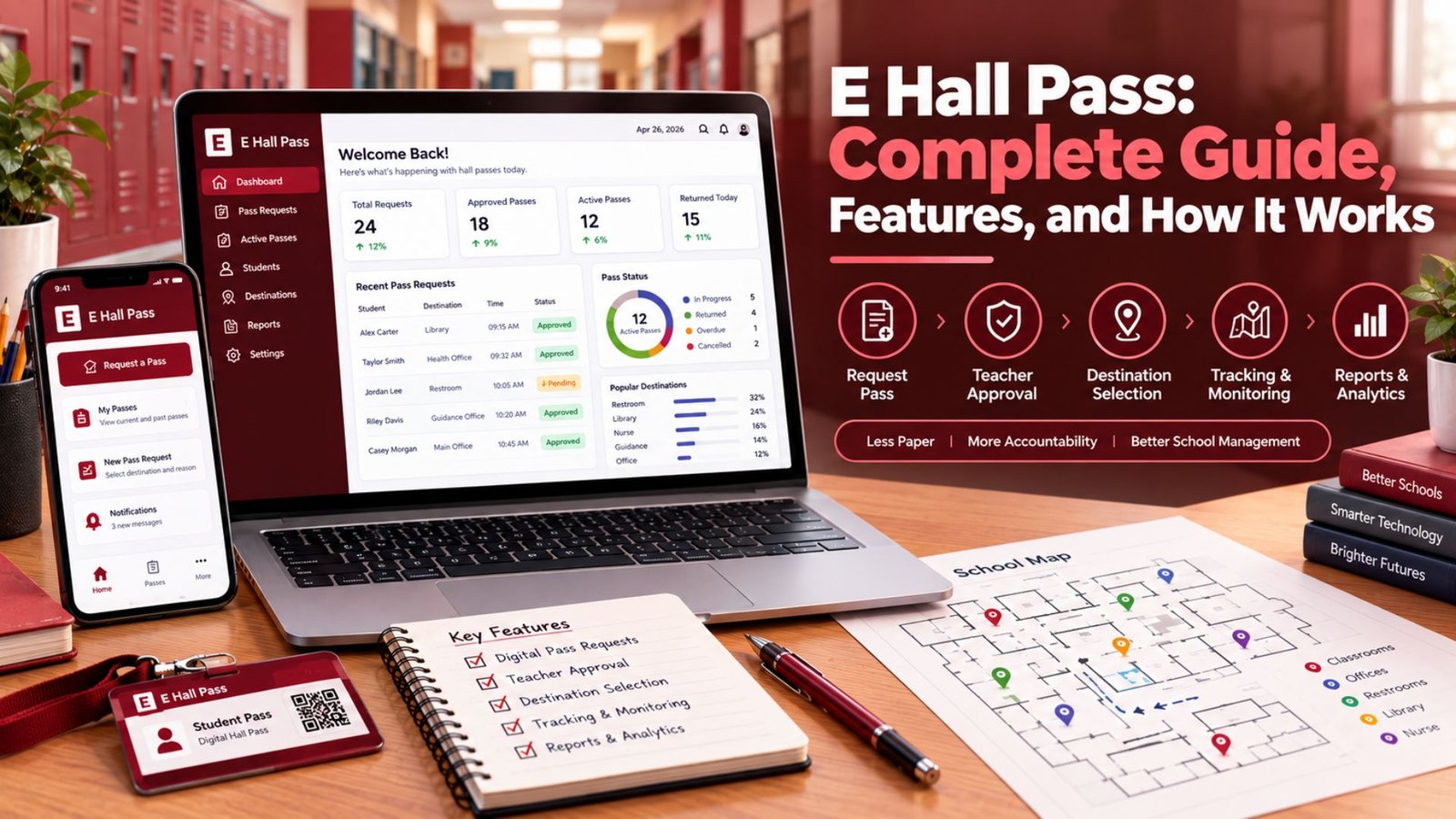
E hall pass changes that picture completely. It’s a digital hall pass system that runs on a classroom device, a mobile device, or a school iPad, and it gives school administrators, teachers, and even parents a much clearer view of student movement throughout the day. This guide walks through what e-hallpass actually does, how the pass workflow functions from start to finish, and why so many high schools and middle schools have made the switch.
Read More About: RobTheCoins Investing Explained: Smart Ways, Review, Risks, Legitimacy & Safer Options
What Is E Hall Pass?
E hall pass, now widely known as Securly or Securly pass, is an electronic hall pass platform built to replace paper-based movement tracking in schools. Instead of writing a name and destination on a slip, a student submits a pass request through a student dashboard, and a teacher approves it from a teacher dashboard with one tap. Every step gets saved as part of a set of digital records, so nothing depends on memory or a piece of paper that might end up crumpled at the bottom of a backpack.
This kind of digital pass system fits into a much bigger shift happening across school technology right now. Attendance, grading, and communication all moved online years ago. Hall passes are simply catching up. The result is a school hall pass system that gives every classroom the same rules, the same records, and the same level of student accountability, no matter which teacher is running the room.
Why Schools Are Switching from Paper Passes
Paper hall passes have a few problems that never really went away. They’re easy to forge. They vanish. And they leave almost no usable trail for reviewing patterns later on. If ten students are out of class at the same time across a building, nobody has a way to know that using paper.
The paper-to-digital hall pass transition solves this by turning every pass into a searchable, time-stamped record. A school can look back at a week’s worth of pass requests and instantly see which locations, times, or students show up most often. That kind of pattern recognition simply wasn’t possible with paper hall passes, and it’s one of the biggest reasons schools have moved toward hall pass management software instead.
| Paper Hall Pass | E Hall Pass (Securly) | |
| Record keeping | Handwritten, easy to lose | Digital pass records, permanent |
| Visibility | None | Real-time visibility for staff |
| Risk of misuse | High (forged or copied passes) | Low, tied to student login |
| Pattern tracking | Manual, rare | Automatic, dashboard-based |
How E Hall Pass Works
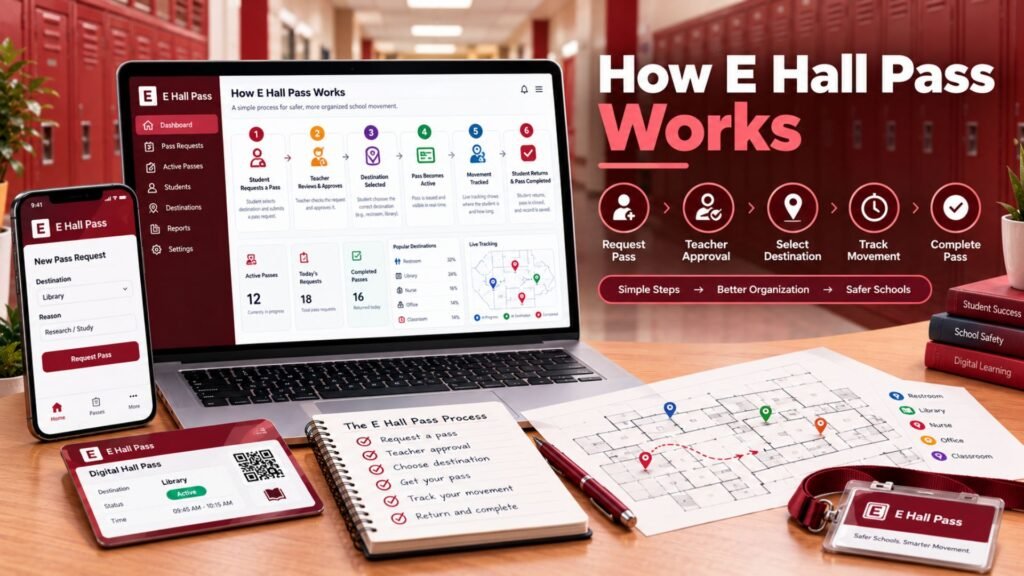
The basic idea behind e hall pass is simple. A student asks to leave. A teacher says yes or no. And the system tracks everything in between. That loop, repeated across a school day, replaces what used to be dozens of small paper interruptions with a quick, quiet process that barely slows a lesson down.
Underneath that simple loop sits a fairly detailed student pass request workflow. It covers who can request a pass, which destinations require extra approval, and how long a student can reasonably stay out before the system flags it. Understanding these pieces helps explain why the platform feels so different from a paper system once a school actually starts using it.
Requesting and Approving a Pass
A student starts by opening the app on a classroom device or their own phone, if the school allows it. They pick a destination, maybe the restroom, the nurse, or the library, and send the request. The teacher then sees it appear and can approve it with a single tap. That’s teacher pass approval in its simplest form.
Some destinations need more than one signature. A visit to the counselor, for example, might require staff approval from that specific office before the pass goes through. This keeps sensitive locations under tighter control, without adding much delay to the overall process. Most requests, once submitted, get approved in under thirty seconds, which is honestly faster than most teachers could write out a paper slip by hand.
Tracking Student Movement
Once a pass gets approved, the pass tracking begins. The system logs the exact time a student leaves, the reported destination, and how long they’ve been away. If a student stays out longer than expected, the dashboard flags it as a long-running pass, which lets staff step in before it becomes a bigger issue.
It helps to be clear about one thing here: this is GPS-free pass tracking. The system records the reported destination, not the student’s exact location through a phone’s GPS chip. That distinction matters a lot for privacy and student tracking concerns, and it’s worth repeating to parents who assume the app works like a location-sharing service. It doesn’t. It works more like a smarter, faster version of the same paper pass schools have used for decades.
Key Features of E Hall Pass
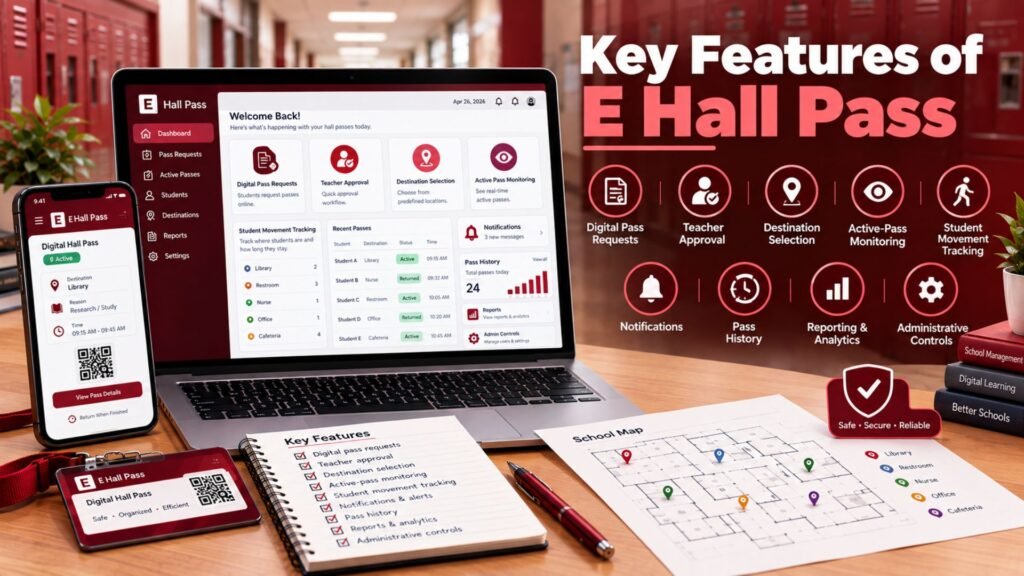
Beyond the basic request-and-approve cycle, e hall pass includes a handful of features that give schools real control over hallway traffic management. These aren’t small add-ons. They’re often the exact reason a school picks this platform over sticking with paper, or over a simpler competitor.
Two features tend to matter most in daily use: pass limits and real-time visibility. Together, they let a school manage both how often students leave class and where they’re allowed to go, all from one admin dashboard.
Pass Limits and Restrictions
Schools can set time-based pass restrictions on how many passes a student uses per day or per class period. These automated pass limits can apply school-wide, by grade level, or to a single student who needs closer monitoring. A school dealing with hallway congestion during a busy passing period might tighten these rules just for that window.
Room capacity controls work the same way. If the computer lab or the library is already full, the system can block new passes to that location until space opens up. This kind of pass capacity management stops overcrowding before it becomes a problem, rather than dealing with it after students have already piled into a room that can’t hold them.
Real-Time Visibility for Staff
Real-time visibility is where the platform really shows its value. An administrator can open the admin dashboard and instantly see every student currently out of class, where they’re supposed to be, and how long they’ve been gone. During emergency situations, this kind of centralized view can make the difference between a fast, organized headcount and a scramble through a dozen separate classrooms.
Day to day, this visibility also helps with smaller decisions. If pass requests spike right after lunch every single day, that’s a pattern worth investigating. Maybe it points to a scheduling gap. Maybe it’s just how the day naturally flows. Either way, having the data on hand beats guessing.
Benefits of Using E Hall Pass
The two biggest wins from e hall pass are student safety and reduced classroom disruption. Schools that switch tend to notice both fairly quickly, often within the first month of use.
One district IT coordinator put it simply after a rollout: “We went from not knowing where half our kids were during a fire drill to accounting for every single one in under two minutes.” That kind of feedback shows up again and again once schools have real data to compare against their old paper process.
Improved Student Safety
Knowing where every student should be at any given moment is a genuine school safety technology upgrade. During an emergency, staff can pull up the dashboard and immediately see who was out of the classroom and headed where. That single feature alone justifies the switch for a lot of districts.
Student accountability improves on quieter days too. When students know their movement gets logged, they’re less likely to drift off to somewhere they shouldn’t be. And if one student keeps requesting passes at the same time every day, staff can notice that pattern early, sometimes catching a small issue before it grows into a bigger one.
Less Classroom Disruption
Writing out a paper pass meant stopping a lesson mid-sentence. E hall pass cuts that step down to a few seconds of tapping a screen. Across dozens of classrooms, all day, every day, those saved seconds add up to real instructional time that doesn’t get lost to paperwork.
This matters most in classes with a lot of natural movement, like science labs or elective courses where students step out for supplies fairly often. A fast pass approval during instruction means the lesson barely pauses, which keeps both the teacher and the rest of the class from losing momentum.
Common Concerns About E Hall Pass
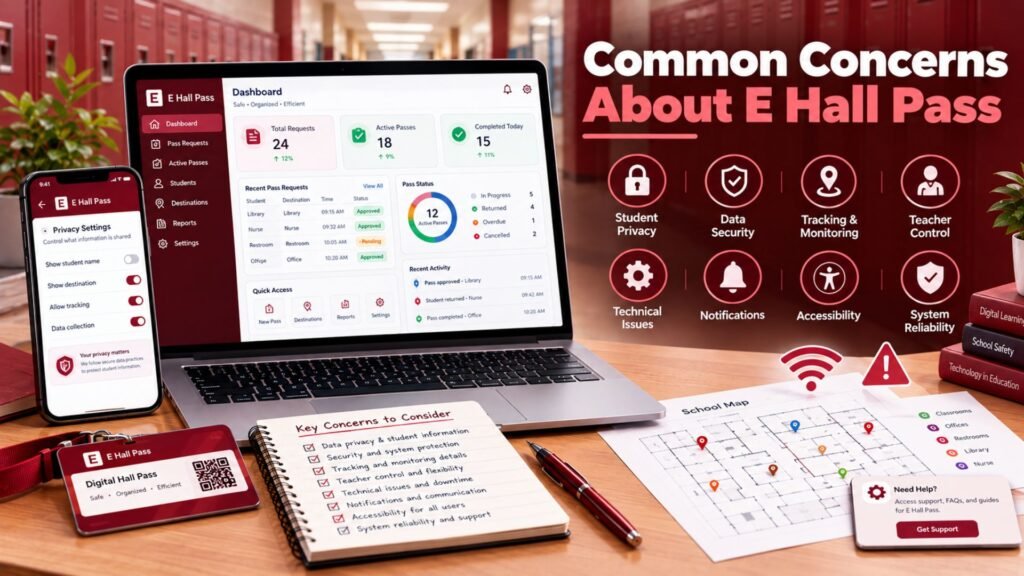
No system is perfect, and a few concerns come up again and again with e hall pass. Addressing them directly tends to work a lot better than hoping they go away on their own.
The biggest one is privacy concerns around location tracking. As mentioned earlier, the system tracks a reported destination versus exact location, not GPS coordinates. Another common concern involves students with medical pass exceptions, such as those needing frequent restroom access. Most platforms allow individual student accommodations to handle exactly this kind of case, so a strict daily limit doesn’t accidentally create a new problem for a student who genuinely needs more flexibility. A slower-than-expected staff response can also frustrate students waiting on an approval, though clear internal expectations around response time usually solve this within the first few weeks.
Tips for Schools Implementing E Hall Pass
A smooth rollout depends a lot on preparation, not just flipping a switch overnight. Communication with parents and communication with students before launch cuts down on confusion and questions once the system actually goes live. Explaining exactly what data gets collected, and what doesn’t, also heads off a lot of the privacy concerns mentioned above before they even come up.
Teacher training matters just as much. Since teachers handle every pass approval, getting them comfortable with the platform before day one avoids delays and frustration during the first week. It also helps to start with reasonable default settings and adjust them gradually, once real classroom use shows what actually needs tightening or loosening. Schools that plan for exceptions from the start, rather than figuring them out case by case after a problem shows up, tend to have the smoothest school-wide implementation.
Read More About: Robthecoins Business Tips: Smart Ways to Grow and Manage a Business
Frequently Asked Questions (FAQs)
What is E Hall Pass used for?
It’s used for digital hall pass management, letting students request passes and teachers approve them electronically instead of writing paper slips by hand.
Does E Hall Pass track student location?
No. It records the destination a student reports and the time they leave and return. It doesn’t use GPS tracking to follow a student’s exact position.
Can students request a pass from their phone?
Many schools allow this through a mobile device, though it depends on each school’s own device policy. Some schools limit requests to a classroom device or iPad kiosk instead.
Is E Hall Pass only for high schools?
No. It’s common in both high schools and middle schools, and some elementary schools use similar tools for simpler versions of the same idea.
What happens if a pass request is denied?
The student stays in class, and the teacher can explain why in person. Most students can simply try again a little later if the situation still calls for it.
Conclusion
E hall pass takes a decades-old paper habit and turns it into something searchable, trackable, and far less disruptive to the school day. It cuts down on forged passes, gives staff real-time visibility they never had before, and saves real instructional time across a building full of classrooms. A thoughtful rollout, with clear communication and solid teacher training, is really what decides whether the system ends up improving safety and flow, or just becomes one more thing to manage.

Ryan Cooper is a dedicated writer with a passion for creating informative and engaging content. He enjoys sharing valuable insights and helping readers stay updated with the latest trends and practical knowledge.