JoinCRS Com Review 2026: Features, Pricing, Safety & How It Works
Nine in the morning. The projector hums. A teacher says, “Go to joincrs.com and type in the code.” Somewhere in the room, thirty phones and laptops light up at once. That small moment, quiet as it seems, is what this whole review is about. JoinCRS.com has quietly become one of the more common sights in American classrooms, and this guide walks through exactly what it does, what it costs, and whether it earns a spot in your teaching toolkit in 2026.
What Is JoinCRS Com?
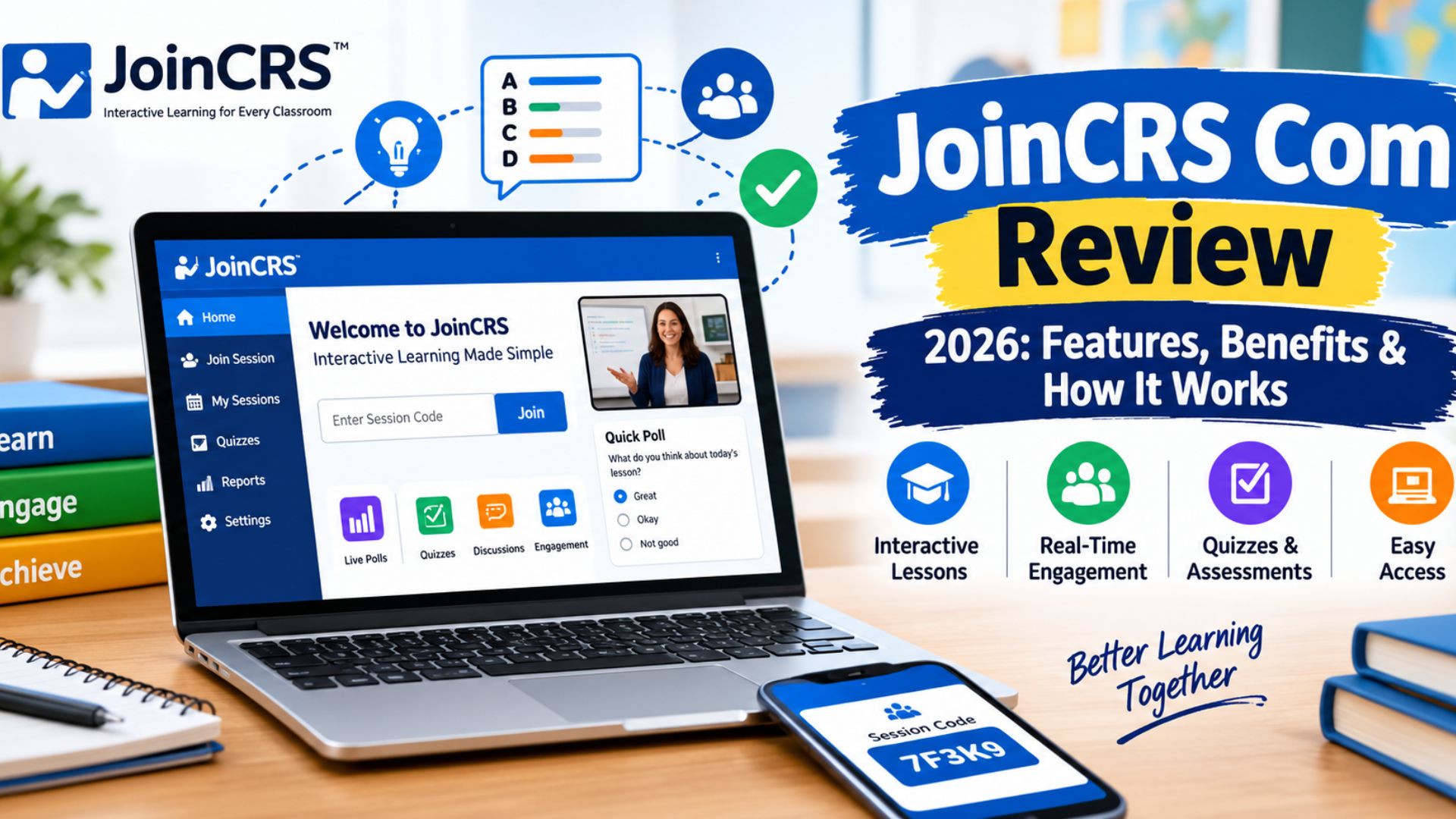
JoinCRS.com is the student-facing gateway into Classroomscreen, a browser-based classroom management software platform built in the Netherlands. Think of it this way: Classroomscreen is the cockpit, and joincrs.com is the door every student walks through to get inside the lesson. Teachers build and run the session on their own screen. Students, meanwhile, just show up at one simple site and type in a short code.
That split matters because it keeps things clean. Nobody has to install anything. Nobody needs a school-issued email or a new password to remember. The JoinCRS platform exists purely to get students from “device in hand” to “actively working through the lesson,” and it tries to make that gap as small as it can possibly be.
Read More About: WallPostMedia Com Review 2026: What It Really Is (Not a Software Platform)
Understanding the Role of JoinCRS Com
At its core, joincrs.com solves one very specific problem: getting a room full of different devices into the same live activity, fast. It isn’t a full learning management system. It doesn’t hold grades. It doesn’t store assignments. It’s a student-facing gateway, nothing more and nothing less, and that narrow focus is exactly why it works so smoothly.
How JoinCRS Com Connects With Classroomscreen
Classroomscreen runs on the teacher dashboard. From there, a teacher picks widgets, launches polls, and builds the flow of the lesson. When a teacher starts a teacher-hosted session, Classroomscreen generates a fresh code. Students take that code to joincrs.com, and the two screens start talking in real time. Whatever the teacher pushes out, students see almost instantly, with no lag and no manual refresh needed.
Who Can Use JoinCRS Com?
Honestly, almost anyone running or attending a class. Elementary teachers use it for morning check-ins. Middle and high school teachers lean on it for quick quizzes. College instructors use it to keep hybrid seminars connected across in-person and remote students. It also tends to work especially well for younger learners, ESL students, and classrooms with a mix of devices, since nobody needs technical skill to join.
How Does JoinCRS Com Work?
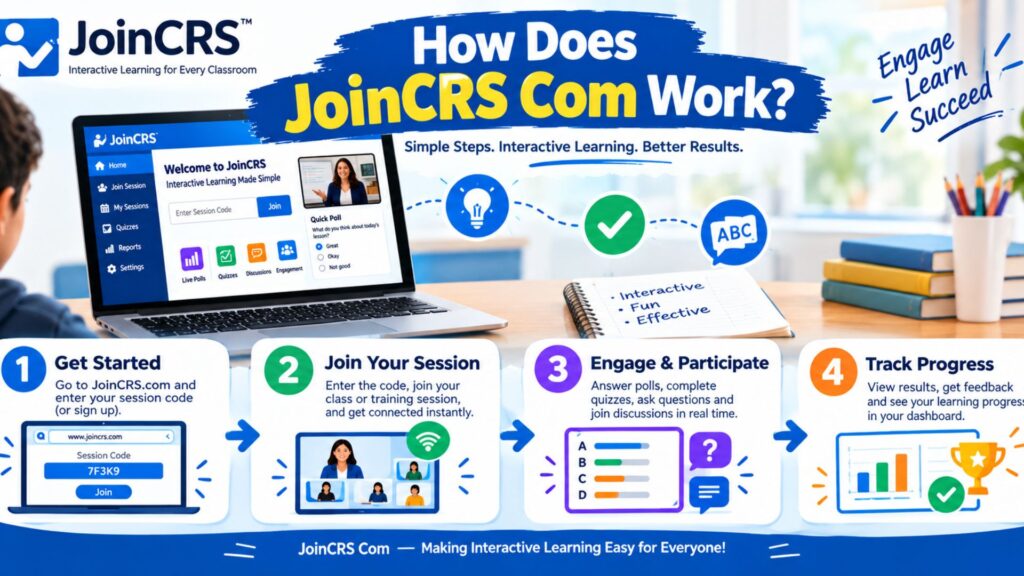
The mechanics behind joincrs.com are almost embarrassingly simple, and that’s the whole point. A teacher starts a session. A code appears. Students type it in. Done. No setup manual required, and no IT ticket needed either.
Underneath that simplicity sits a fairly clever bit of engineering: real-time sync between one teacher screen and dozens of student devices, all without a login system slowing anyone down. It’s a session-based learning model, meaning access lives and dies with that one active session rather than a permanent account.
The Six-Digit Session Code Process
Every JoinCRS session code is generated fresh, tied to one live session only. Once the teacher ends the session, that six-digit code stops working. This gives the classroom session access without needing passwords or usernames at all, and it closes the door automatically once class is over.
How Students Join a Live Session
Here’s what the process looks like, from a student’s seat:
| Step | Action | Roughly How Long |
| 1 | Open any browser | 5 seconds |
| 2 | Go to joincrs.com | 5 seconds |
| 3 | Enter the session code | 5 seconds |
| 4 | Tap join | 2 seconds |
| 5 | Activity loads | 5–10 seconds |
Under thirty seconds, start to finish, and no email, no password, and no account creation anywhere in that chain.
QR Code and Browser Access
For younger kids who fumble with typing six digits accurately, QR code joining speeds things up even more. Point a camera, tap the link, and you’re in. It’s all still fully browser-based, so there’s no app to hunt down in a store and no storage taken up on the device.
Supported Devices and Compatibility
Device-agnostic access is one of joincrs.com’s strongest selling points. It runs on smartphones, tablets, Chromebooks, laptops, and desktop computers, using any modern browser like Chrome, Safari, Edge, or Firefox. The only real gap is old versions of Internet Explorer, which barely show up in classrooms anymore anyway.
Key Features of JoinCRS Com
Underneath that plain code-entry screen sits a genuinely rich toolkit. This is where student engagement actually happens, not just in theory but in real, watchable, second-by-second classroom activity.
The feature list reads like a formative-assessment teacher’s wish list: live polls, instant feedback, group whiteboards, and quiet, judgment-free ways for students to show what they actually understand.
Live Polls and Quizzes
Live polls and online quizzes sit at the center of the whole experience. A teacher asks a question, and results start rolling in within seconds. No papers to collect, no grading pile to fight through that night. It’s an instant feedback loop that closes in real time, right in the middle of the lesson.
Real-Time Feedback and Participation
Traffic light feedback lets students tap green, yellow, or red to show how well they’re following along. It sounds almost too simple, yet it quietly removes the fear of raising a hand and admitting confusion in front of the whole class. Combine that with quick classroom check-ins at the end of a lesson, and a teacher gets a genuinely useful read on the room.
Interactive Classroom Activities
Beyond polls, there’s a full set of classroom widgets: timers, a random name picker, a shared digital whiteboard, and drawing tools. These small tools handle the everyday mechanics of running a classroom, freeing the teacher up to actually teach instead of managing logistics.
Anonymous Student Participation
Anonymous classroom responses turn out to matter more than they might seem at first glance. Students tend to answer more honestly when their name isn’t attached to a wrong guess. That single design choice pulls quieter students into the conversation in a way that hand-raising never quite manages.
Cross-Device Accessibility
Whether a student is on a shared family tablet or a school Chromebook, the experience stays the same. Cross-device access means there’s no “lite” version for phones and no “full” version reserved for laptops. Everyone gets the same lesson, the same buttons, the same live classroom participation.
JoinCRS Com for Teachers and Hosts

On the teacher’s side, Classroomscreen does the heavy lifting. Students only see the results; teachers control everything driving those results, from the pacing of activities to how identified or anonymous responses appear.
The payoff here shows up mostly in saved time. A teacher who used to burn five minutes a class on login trouble gets that time back, session after session, week after week.
Creating and Managing Live Sessions
Setting up a session takes just a few clicks. A teacher picks widgets, decides on anonymous or identified mode, and either launches right away or schedules it ahead of time. Both approaches work fine, which makes the tool flexible enough to fit very different teaching styles.
Monitoring Student Participation
Free accounts show live session management data as the class runs: who’s responded, and what the spread of answers looks like. Deeper session history and longer-term reporting sit behind the paid Pro tier, which we’ll cover shortly.
Using Classroomscreen Activities and Widgets
Classroomscreen ships with ready-made templates for common lesson types, like morning routines or exit tickets. Teachers can use these exactly as built, or tweak every widget to match their own class culture. Most teachers pick up the interface within two or three sessions, no formal training needed.
Improving Classroom Engagement
Picture a teacher wrapping up a lesson on photosynthesis, then launching a three-question check. If most of the class misses the same question, the teacher can pause, reteach that one idea, and move on with actual confidence instead of a guess. That’s formative learning working exactly as intended, right there in the moment rather than three weeks later on a test.
JoinCRS Com for Students and Participants
From a student’s chair, the whole thing feels almost too easy, and that’s by design. There’s no account screen standing between a student and the actual lesson.
That low-barrier participation matters most for students who get anxious around technology, since one less hurdle means one less thing standing between them and actually joining in.
Joining Without an Account
There’s no joincrs.com login page, and there never will be, because the whole point is skipping that step. Type the code, tap join, and the lesson loads. No app required, no password, no email — just a code and a button.
Participating in Interactive Activities
Once inside, students see whatever the teacher has pushed live: a poll, a quiz question, or a shared whiteboard canvas. Everything is sized for tapping rather than clicking with a mouse, which makes it genuinely comfortable to use on a phone.
Using JoinCRS Com on Phones and Tablets
Mobile-friendly learning isn’t an afterthought here. The layout adapts cleanly to small screens, and students on personal phones get the exact same experience as students on school laptops. Nobody’s stuck with a stripped-down version.
Rejoining a Session
Tabs close. Wi-Fi drops for a few seconds. It happens. Rejoining takes about ten seconds: type the same code back in, and the student lands right back where they left off, with no teacher intervention needed.
JoinCRS Com Login: Do You Need an Account?

Short answer: no. There’s genuinely no student account system on joincrs.com, and searching for a “joincrs.com login” page will turn up nothing, because it simply doesn’t exist. Every session runs on a temporary code instead of a stored identity. Teachers, on the other hand, do have their own Classroomscreen account on the backend, since someone needs to build and manage the session. But that login lives entirely on the teacher’s side of the system, never the student’s.
JoinCRS Com Pricing: What Is Free?
Money matters, especially in schools working with tight budgets, so here’s the actual breakdown rather than guesswork.
Is JoinCRS Com Free for Students?
Completely, yes. There is no student-facing paywall anywhere in this system. Every student who types in a valid code gets full access to the live session, no matter what plan their teacher is on.
Free and Pro Features
According to Classroomscreen’s own pricing page, the Basic plan is free forever and includes all of its widgets, while the Pro plan costs $36 a year and adds screen-saving and sharing features for teachers. Here’s how that breaks down:
| Feature | Basic (Free) | Pro ($36/year) |
| Student session joining | Yes | Yes |
| All classroom widgets | Yes | Yes |
| Live polls and quizzes | Yes | Yes |
| Saving and sharing screens | No | Yes |
| Free trial available | — | 14 days |
School Licenses and Subscription Options
Schools looking to roll this out for an entire staff can look into Classroomscreen’s Organization plans, which cover five or more licenses under one account. For exact district technology pricing, it’s worth reaching out directly, since institutional rates aren’t published the same way individual pricing is.
Is JoinCRS Com Safe and Legit?
This is the question that matters most to parents, and fair enough. A site that asks for nothing but a code, with no visible login screen, can look suspicious at first glance if you don’t know what it is.
The short version: joincrs.com is legitimate, and it’s built by the same company behind Classroomscreen, a tool used across thousands of schools worldwide.
Privacy and Data Protection
Classroomscreen’s own privacy policy states it doesn’t sell personal data and runs no advertising on the platform. Its privacy-first design starts with a simple rule: collect only what a session genuinely needs to function, and nothing more.
Student Privacy and Anonymous Participation
Because so many activities default to anonymous mode, most student responses never get tied to a name at all. That’s a meaningful layer of student data protection built directly into how the tool works, not just something written into a policy document nobody reads.
Safety Considerations for Children
For a safe learning environment, this checks the important boxes: no ads, no persistent student profiles, and no account for a child to ever forget or misuse. That said, schools should still review Classroomscreen’s current privacy documentation against their own state and district requirements before a full rollout, since compliance details can shift over time.
Read More About: Latest FeedBuzzard Com Review 2026: Features, Content, Trends & How It Works
Real-World Uses of JoinCRS Com
Theory only gets you so far. Here’s what this actually looks like across different classrooms.
Elementary School Activities
A third-grade teacher opens Monday with a quick mood check, tapping through a smiley-face poll. Within a minute, she can see which kids might need a little extra attention that day, all without a single awkward moment in front of classmates.
Middle and High School Learning
After a science unit, a teacher fires off a five-question quiz. If most of the class misses the same concept, that’s the cue to reteach it immediately, rather than discovering the gap weeks later on a test.
University and Hybrid Classrooms
A college seminar with twenty students in the room and twenty joining remotely can run on one single code. Everyone answers the same polls and contributes to the same whiteboard, so the class feels genuinely unified instead of split into two separate experiences.
Formative Assessment and Student Feedback
Quick exit tickets at the end of class give a teacher a same-day read on who understood the lesson and who needs a follow-up. That’s formative assessment doing its job: fast, low-stakes, and immediately useful.
JoinCRS Com for Remote and Hybrid Learning

Hybrid classrooms aren’t going anywhere in 2026. Students miss class for all kinds of reasons, and remote options have shifted from “special accommodation” to just how school works now.
Supporting Distance Education
A student joining from home uses the exact same code as everyone sitting in the room. No separate remote-only interface, no second system for the teacher to manage. It’s one session, one dataset, one lesson.
Virtual Classroom Collaboration
Shared whiteboard activities work identically whether a student is at a kitchen table or a classroom desk. Their contribution shows up on the same canvas, at the same time, alongside everyone else’s.
Improving Participation in Hybrid Classes
One of the biggest complaints about hybrid learning is that remote students feel like spectators. Since everyone answers the same live polls through the same session, that gap narrows considerably. Remote students aren’t just watching class happen. They’re actually in it.
Limitations of JoinCRS Com
No tool does everything, and a fair review has to say so plainly.
Internet Connectivity Requirements
Like any cloud-based tool, joincrs.com needs a decent connection to work well. In areas with spotty broadband, particularly some rural districts, responses can lag or sessions can drop.
Session Code Management
Since any device with a valid code can join an open session, larger schools need clear habits around ending sessions promptly, especially before anything sensitive like a graded quiz.
Limited Persistent Student Profiles
There’s no built-in way to track one student’s progress across many sessions over time. Teachers who need that kind of longitudinal data will still need to lean on their gradebook or LMS for it.
Advanced Features and Analytics
Deeper advanced analytics, full session history, and school-wide reporting all live behind the Pro subscription. The free tier covers everyday classroom use well, but administrators chasing long-term data trends will eventually want to look at Pro.
Common JoinCRS Com Problems and How to Fix Them

Even a smooth tool runs into hiccups now and then. Here’s how to sort out the most common ones fast.
Why Can’t Students Join a Session?
Nine times out of ten, it’s a typo in the code or a session that’s already ended. Double-check both before assuming something’s actually broken.
Expired or Invalid Session Codes
Codes expire the moment a teacher ends a session. If a code was shared days earlier rather than right before class, it simply won’t work anymore. The fix is easy: generate a new one and share it fresh.
Browser and Network Problems
| Problem | Likely Cause | Fix |
| Page won’t load | Outdated browser | Update or switch browsers |
| Code rejected | Expired code or typo | Get a new code |
| Activity frozen | Weak connection | Switch networks or move closer to the router |
| Site blocked | School firewall | Ask IT to whitelist joincrs.com |
Other Technical Access Issues
Students without a personal device can usually use school lending programs, and those with unreliable home internet can often use a school-provided hotspot. Small fixes, but they close real gaps.
JoinCRS Com vs Other Classroom Engagement Platforms
It helps to see how joincrs.com stacks up against tools you might already know.
| Feature | JoinCRS.com | Kahoot | Google Classroom |
| Student login required | No | Optional | Yes |
| Real-time polls | Yes | Yes | Limited |
| Anonymous participation | Yes | No | No |
| App required | No | Yes | No |
JoinCRS Com vs Kahoot
Kahoot leans heavily into game-based competition, and it’s genuinely fun for review days. But it usually needs a student account for full features, and it doesn’t offer the daily classroom-management widgets, like timers or a random name picker, that Classroomscreen builds in. These two tools tend to complement each other rather than compete directly.
JoinCRS Com vs Google Classroom
Google Classroom is a full learning management system: assignments, grading, rosters. JoinCRS.com is nothing like that. It’s a real-time learning portal, not a place to store coursework. Most teachers end up using both side by side, posting the session code inside Google Classroom right before class starts.
JoinCRS Com vs Microsoft Teams
Teams shine at video calls, file sharing, and asynchronous group work. It’s simply not built for the fast, in-the-moment polling that joincrs.com specializes in. For a quick check on classroom understanding mid-lesson, joincrs.com is the faster, lighter tool of the two.
Practical Tips for Using JoinCRS Com Effectively
A few small habits go a long way toward getting real value out of this tool.
Tips for Teachers and Hosts
End every session the moment class wraps up, so old codes can’t be reused later. Lean on QR codes for younger students, since they’re faster than typing. Pair a mid-lesson traffic-light check with an end-of-class exit ticket for a genuinely complete read on comprehension.
Tips for Students
Bookmark joincrs.com now, before you’re scrambling for it mid-lesson. A phone works exactly as well as a laptop here, so don’t feel behind if that’s all you’ve got. And if a tab closes, just re-enter the code. You’ll be back inside in seconds.
Best Practices for Interactive Learning
Keep live activities short: five to ten minutes per lesson is usually plenty. Use the response data to actually change what happens next in class, rather than just collecting it and moving on regardless.
Is JoinCRS Com Worth Using in 2026?
For one specific job, running fast, live classroom sessions with real feedback, joincrs.com does that job well. It isn’t trying to replace your LMS, your gradebook, or your video call platform, and it shouldn’t be judged as if it were. Used as the real-time feedback layer sitting alongside the tools you already have, it fills a genuine gap most classrooms have been missing for years. If your goal is faster, more honest student comprehension checks without a mountain of setup, it’s absolutely worth trying the free tier first.
Frequently Asked Questions
What is JoinCRS Com used for?
It’s the student entry point into live Classroomscreen sessions, giving access to polls, quizzes, and other interactive activities through a simple code.
Is JoinCRS Com the same as Classroomscreen?
Not quite. Classroomscreen is the full platform teachers use to build sessions. JoinCRS.com is just the door students walk through to join one.
Does JoinCRS Com require an account?
No. Students never create an account. A session code is all it takes.
Is JoinCRS Com free?
Yes, for students, always. Teachers can use the free Basic plan or upgrade to Pro for $36 a year.
Is JoinCRS Com safe for students?
Yes. It runs no ads, collects minimal data, and defaults many activities to anonymous responses.
Can students use JoinCRS Com on phones and tablets?
Yes, on any modern browser, with no loss of functionality compared to a desktop.
What data does JoinCRS Com collect?
Mainly session-level participation data, needed just to run the activity. No persistent personal profiles get built from it.
What happens if a student loses the session code?
The teacher shares it again, or the student re-enters it if they were already in and just got disconnected.
Why can’t I join a JoinCRS Com session?
Usually it’s a wrong or expired code, an outdated browser, or a shaky internet connection.
What is the difference between JoinCRS Com and Kahoot?
Kahoot focuses on competitive quiz games and often needs an account. JoinCRS.com skips accounts entirely and covers a broader mix of daily classroom tools.
Conclusion
JoinCRS.com earns its reputation by doing one thing well: getting students into a live lesson fast, without friction, without accounts, and without drama. It won’t replace your LMS, and it isn’t trying to. But as a classroom engagement platform built for real, everyday teaching, it’s a genuinely solid pick for 2026.